Rear or ceiling position
Home entertainment · decision guide
Will a Projector Work in Your Room? Check These Constraints First
The first question is not which projector is “best.”
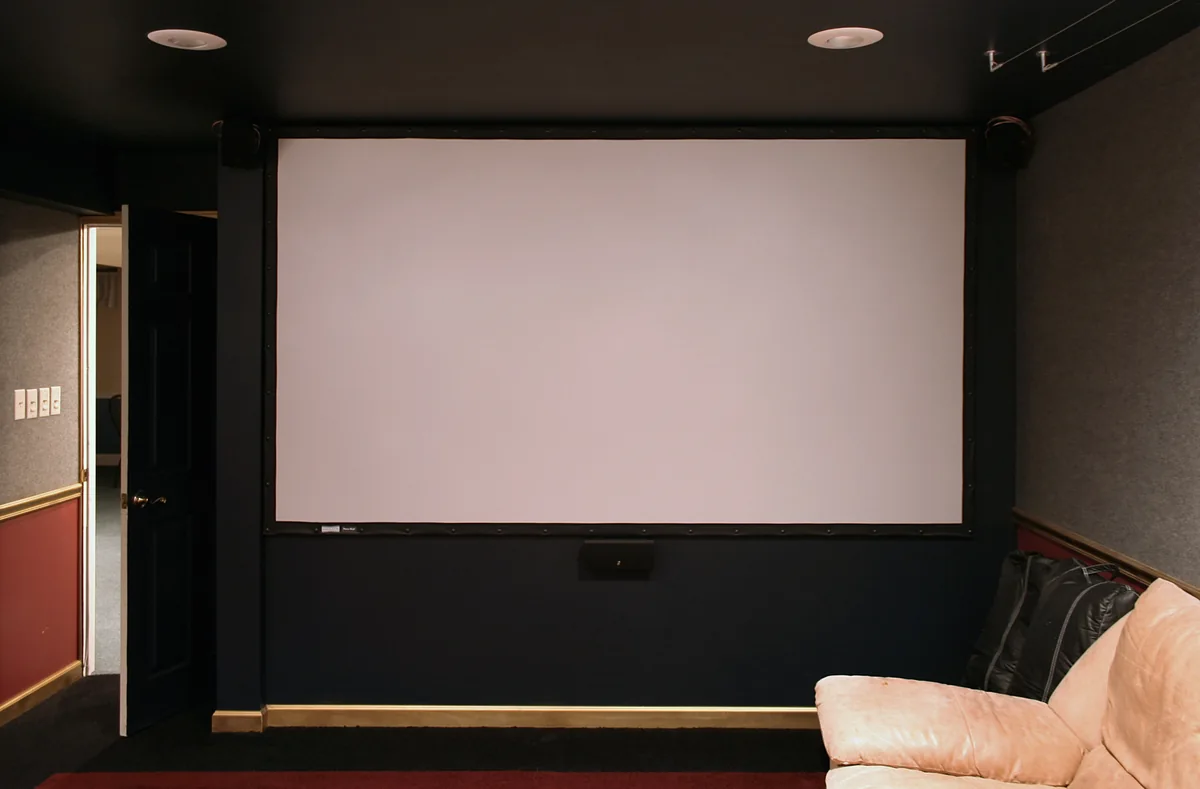
The first question is whether a projector can produce the image you want from a position that actually exists in your room.
A projector purchase starts with room fit: wall or screen area, available placement, throw distance, room light, intended use, and the connections you need. Only after those constraints are clear should you compare resolution, streaming features, gaming specifications, or audio.
Quick decision
Measure the room before comparing projector features.
- Measure the usable wall or screen area.
- Identify where the projector can physically sit or mount.
- Measure the distance from that position to the image surface.
- Check the exact model’s throw ratio and placement guidance.
- Consider when you will watch and how much ambient light is present.
- Choose standard, short, ultra-short, or portable architecture only after the room constraints are clear.
If the room cannot support the intended image size from the available position, feature comparison comes too early.
Room-fit flow
Use the room to narrow the projector architecture.
01Wall / screen area
02Projector position
03Throw distance
04Throw ratio
05Room light / use
06Architecture / features
01–03 · Placement
Find the Actual Image and Lens Position
Identify the area where the image will appear. Measure the usable width and height, but also look for practical limits:
Image areaDoors, windows, shelves, or artwork
Image pathFurniture that blocks the image path
SurfaceWall texture or color
Daily useWhether the image area is shared with normal daily use
ScreenWhether the room can accommodate a screen, if you plan to use one
PositionA shelf, ceiling mount, table, media console, low front position, or temporary setup
This is not about finding the largest possible image. It is about identifying an image area that fits the room’s everyday use.
Do not measure from the most convenient imaginary location. Measure from a position that leaves room for people, furniture, cables, and normal use of the space.
Use Throw Distance to Eliminate Impossible Setups
Throw distance is the distance between the projector lens and the image surface. It is a primary room-fit variable. A model’s throw ratio links throw distance to image width. Because this varies by model—and sometimes across a zoom range—you need the exact model’s published information or calculator before deciding that a desired image size is feasible.
ProjectorCentral’s current specialist directory maintains model-level throw-distance calculation tools, which reflects how central this measurement is to placement planning.
04–05 · Conditions
Account for Room Light and Intended Use
The same room can create different projector requirements at different times. A mostly dark movie room, a living room used during the day, a sports-viewing space, and a casual portable setup create different constraints.
After darkConsider the intended movie or streaming use
DaylightConsider window light and the willingness to control room lighting
Sports / gamingCompare the exact model’s use-specific published information after room fit
Portable usePortability does not remove the need to check room light, placement, and image size
Image priorityDecide whether a large image is more important than a bright image in ambient light
MovementDecide whether the projector will be permanent or moved between rooms
Brightness figures are model-specific specifications. They do not guarantee the same real-room result in every wall, screen, lighting, or image-size setup.
06 · Architecture and features
Choose the Throw Architecture After the Room Is Measured
| Architecture | May fit when | Still check |
|---|---|---|
| Standard throw | There is sufficient distance between the projector and image surface | Exact model’s published requirements |
| Short throw | Available distance is more limited | Exact model’s published requirements |
| Ultra-short throw | The projector must sit very close to the wall or screen | Placement and surface conditions |
| Portable / lifestyle | The setup needs to move | Room light, placement, and image size |
Do not assume that digital correction makes any location equally suitable. Treat it as a model feature with limits that should be reviewed in the manufacturer’s documentation.
Then Compare Resolution, Inputs, Streaming, Gaming, and Audio
After room fit and throw architecture are settled, compare the features that matter for your intended use: resolution; input and source-device connections; streaming route; gaming requirements, including model-specific input-lag information where relevant; audio route; and installation and cable-management needs.
BenQ’s current catalog distinguishes home cinema, portable, gaming, and TV-projector use cases and presents resolution and input-lag fields as product or series attributes. Those figures should be checked on the exact model page, not generalized across the category.
Product archetypes
Compare a role only after the room is clear.
Limited placement distance
Short-throw projector
Front-of-room layout
Ultra-short-throw projector
Movable or occasional use
Portable projector
Candidate after room-fit checks
Epson Home Cinema 1100 · V11HB61020
Consider this candidate only after the exact model’s throw, placement, room-light, and connection requirements have been checked against the measured room.
View on Amazon Affiliate linkFinal room-fit checklist
Before comparing a current listing
- Usable image wall or screen area has been measured
- Real projector position has been identified
- Throw distance has been measured
- Exact model throw ratio will be checked before purchase
- Room light and intended use have been considered
- Throw architecture has been selected after room measurement
- Resolution, inputs, streaming, gaming, and audio will be compared last
Evidence and limitations
This guide provides a decision sequence, not a universal image-quality promise. Manufacturer specifications, including brightness, throw ratio, resolution, input lag, connectivity, and light-source information, remain model-specific. Independent reviews are not Routine & Room hands-on testing.
Affiliate links are active for the named product candidate. Read the affiliate disclosure and Amazon Associate identification.